> ## Documentation Index
> Fetch the complete documentation index at: https://docs.getmonita.io/llms.txt
> Use this file to discover all available pages before exploring further.
# Slack Integration
> This article takes users through how to integrate with a Google Tag Manager container.
### Instructions
1. [Login](https://app.getmonita.io) to the app
2. Go to [Integrations](https://app.getmonita.io/integrations)
3. Click 'New Integration'
 4. Select Slack and press 'Connect with Google'
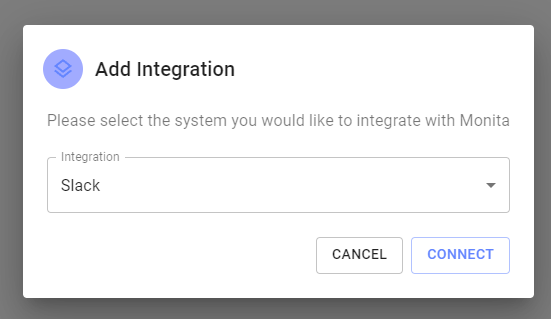 5. Allow Slack to integrate with a workspace and select a channel which the App will post to
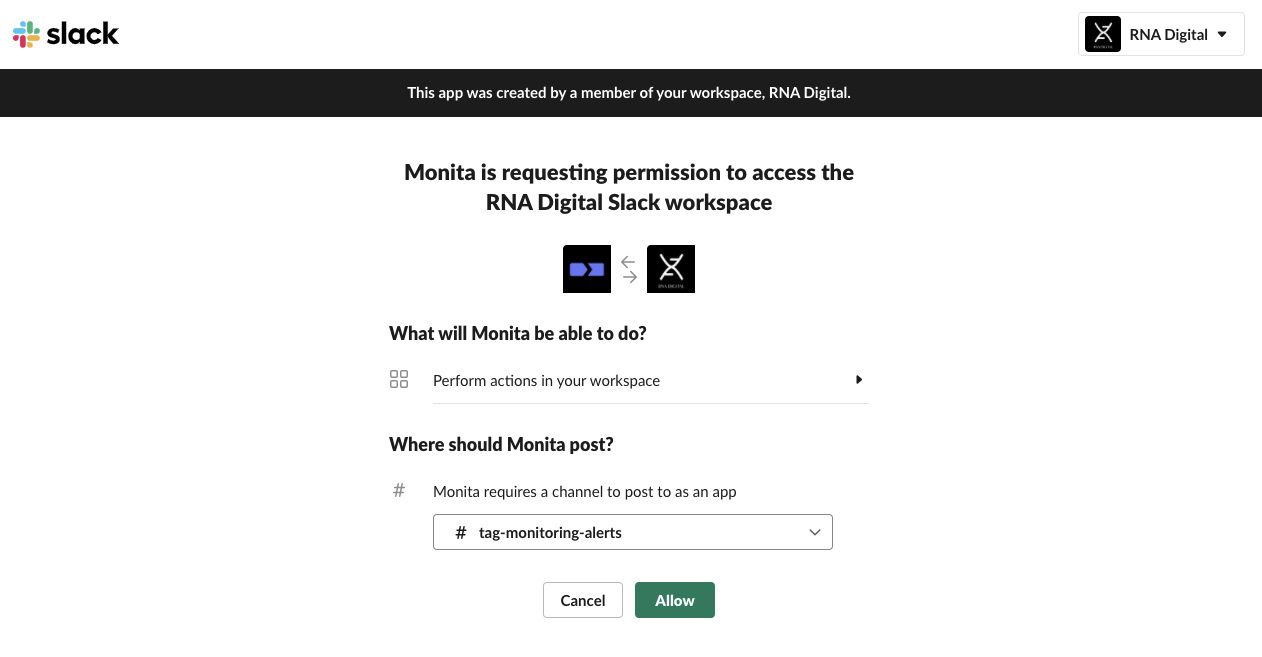 6. Press 'Allow'
7. If integration is successful, a tile will appear with a green status light.
6. Press 'Allow'
7. If integration is successful, a tile will appear with a green status light.
 8. (Optional) Select a default workspace. This will speed up alert ceration by negating the need to select a slack channel for alerts destination
 After connecting it may take a few minutes for the changes in the Slack workspace to take effect.